mdReview is a local Linux application for reviewing Markdown documents made by coding agents. It is designed for plans, specifications and other Markdown files that need human feedback.
Run it against a directory, open the local URL it prints, and choose a file to review in your browser.
How it works
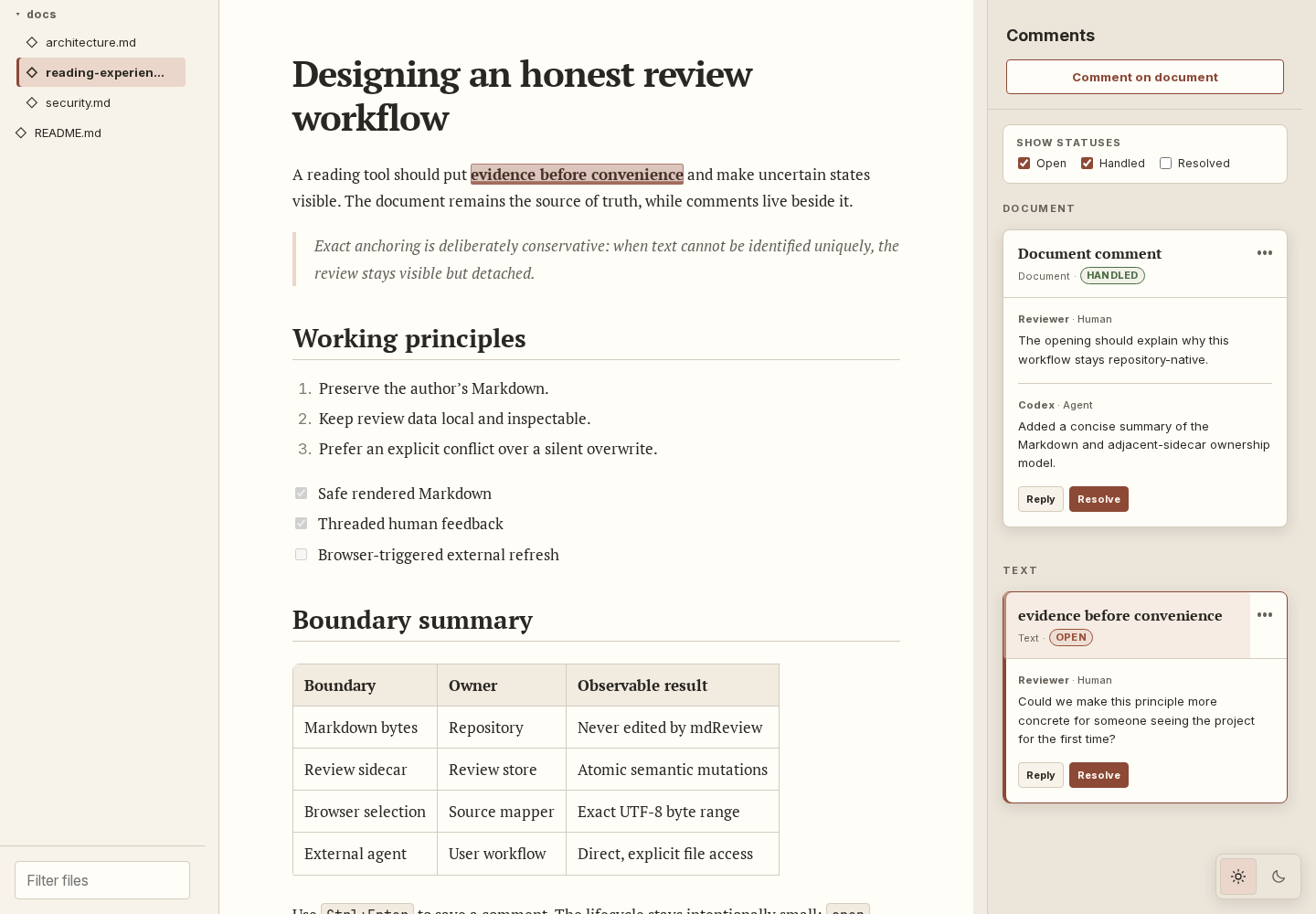
The interface has three panes:
- Files lists the Markdown files in a directory.
- Document renders the selected Markdown file.
- Review shows comments and replies.
You can comment on the whole document or select text and comment on that section. Threads can be replied to, marked as handled and resolved.
mdReview is distributed as a single Go binary with an embedded Preact interface. It runs locally on Linux and does not need a Node.js runtime.
Comments stay with the document
Comments are saved in a JSON sidecar beside the Markdown file:
plan.md
plan.md.review.json
The Markdown file is not changed. The sidecar can be committed or shared with the document when the feedback needs to travel with it.
Markdown files can change after a comment is created. mdReview keeps the original selected text and its exact location. If that location no longer matches, it looks for one exact copy of the original text. If it cannot find one unique match, the comment stays visible but is marked as detached.
Working with coding agents
The sidecar is also how feedback is handed back to a coding agent:
- You leave comments in mdReview.
- A coding agent reads the sidecar and edits the Markdown file.
- The agent marks completed comments as handled.
- You review the changes and resolve the comments.
An optional Agent Skill explains this workflow to Codex, Claude Code and Gemini CLI.
What mdReview does not do
mdReview does not edit Markdown, start an agent or send comments automatically. It displays the document and records feedback. The source file and its review data remain in the project directory.